Conversion tracking and analytics checklist for business websites
Conversion tracking should help you explain what happens between a visitor arriving and a useful enquiry reaching the business. A page view, a contact click and an accepted message are different events. This checklist helps you define the funnel, verify the implementation, protect personal information and compare reports without treating every counter as a count of the same people.
Key takeaways
- Define a lead around a confirmed business outcome, not merely a button click.
- Test first entry, page navigation, failed submissions and successful retries.
- Keep contact values and private URLs outside unnecessary analytics collection.
Define the enquiry funnel before installing another tag
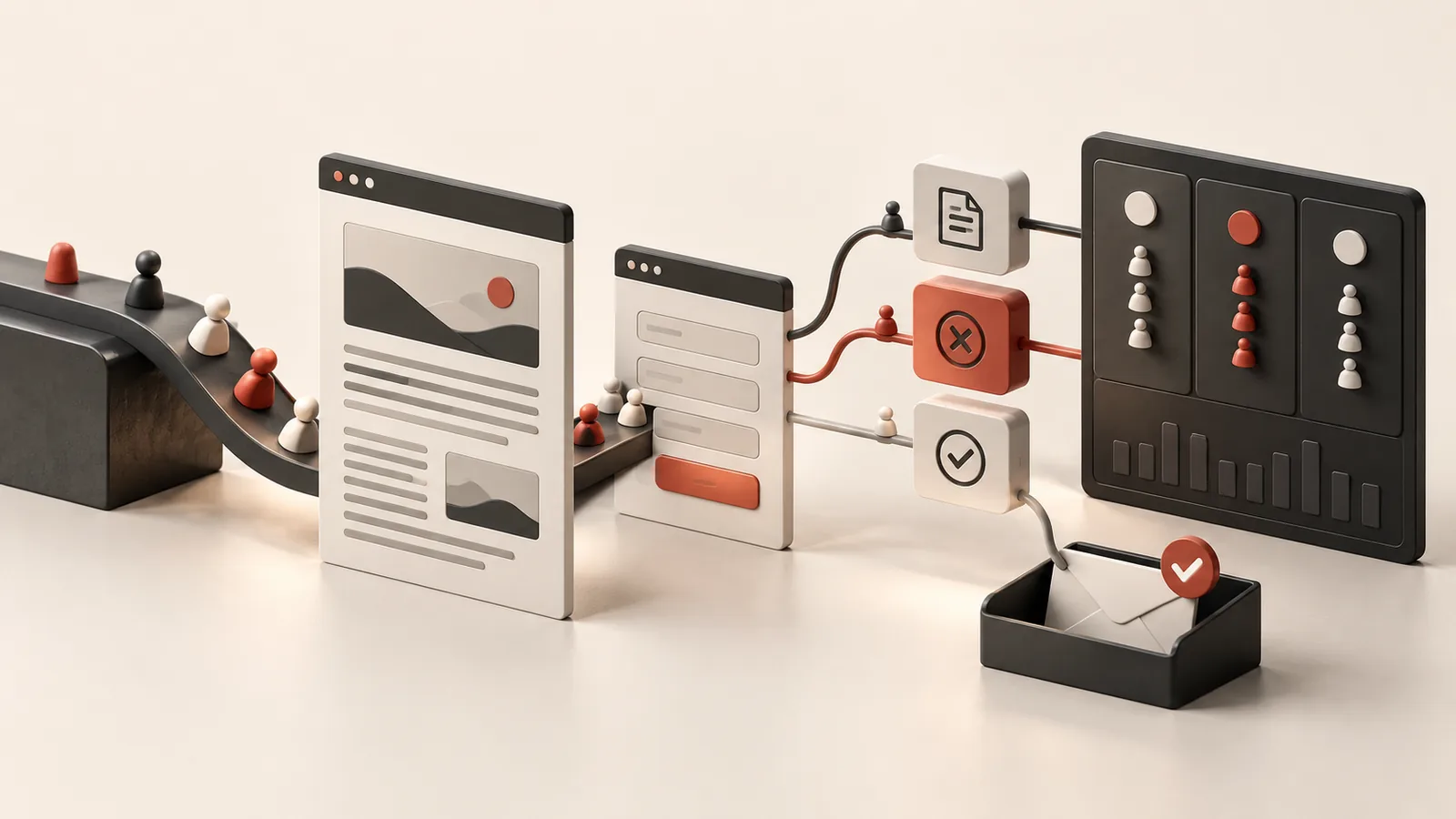
Choose the action that the business considers a received enquiry. It might be an accepted contact form, a submitted project brief or the first confirmed visitor message in a conversation. Record the earlier steps separately so you can see where the journey stops. Use names and definitions that remain understandable when someone else reviews the reports later.
Avoid assigning an invented financial value simply to make a report look complete. If enquiry value is genuinely measured, document the method and the period it represents. For smaller sites, the quality and relevance of the enquiries may be more useful than a dashboard full of percentages. Tracking should support a decision about the website or service, not create another set of numbers without an operating purpose.
| Event or record | What it indicates | What it does not prove |
|---|---|---|
| Page view | An eligible page visit was recorded | The visitor understood the offer |
| Contact click | The visitor chose a contact route | A message reached the business |
| Form start | Interaction with the enquiry form began | The request was accepted |
| Submission error | An attempt needs investigation or retry | The visitor was unsuitable |
| Confirmed lead | The agreed enquiry action was accepted | The enquiry became a paid project |
- Write one definition for each funnel step and its trigger.
- Separate received enquiries from later qualification or project outcomes.
Record confirmation at the right point in the flow
A form should record success after the application has confirmed receipt, not when a visitor presses Send. Handle a failed response visibly and preserve the written message where practical. Count errors separately. If a visitor retries successfully, the earlier failure should remain understandable without being counted as an additional received enquiry.
Apply a clear rule to chat and other repeated interactions. Counting every message as a new lead will inflate the apparent number of conversations. Decide whether the first confirmed visitor message is the relevant trigger, and keep later replies as engagement within that conversation. Google's recommended generate_lead event can support the lead definition, but the event name alone cannot determine whether the underlying action was actually successful.
- Trigger lead measurement from a confirmed application receipt.
- Define how retries, duplicate submissions and continuing chats are treated.
Test navigation and the visitors tracking can miss
Verify the first public page load and navigation to another public route. Single-page applications need particular attention because the URL can change without loading a new document. Make sure the intended page-view event is ready when it is called and that the same event is not recorded twice by overlapping implementations. Google's page-view documentation explains the manual-measurement setup.
Test the journeys that are easy to miss: arriving on a private route before returning to a public page, refreshing the same page, using browser back and returning with restricted storage. Keep private routes excluded as intended. Ad blockers, user settings and network failures can prevent analytics collection, so optional tracking must not interrupt the enquiry itself. Document these limits instead of presenting the report as a perfect census of visitors.
- Check initial entry, route changes, reload and browser back.
- Ensure enquiry delivery still works when the analytics service is unavailable.
Protect personal information and private route details
Keep names, email addresses, phone numbers, message bodies and access tokens out of ordinary analytics events. Inspect the actual payload and destination URLs rather than assuming that selecting an event name makes it safe. Contact information can appear in form fields, query strings, link destinations or diagnostic logs, so review the surrounding implementation as well as the explicit event parameters.
For an enquiry-led site, fixed categories such as the contact method or page placement are often enough to answer the useful question. Store the enquiry itself in the appropriate business inbox with its own access rules. Apply the relevant analytics configuration and privacy choices for the site. The objective is to measure the journey without copying the contents of a private conversation into every system that can receive an event.
- Inspect event parameters, page addresses and contact link values.
- Keep business enquiry storage separate from marketing measurement.
Reconcile reports before diagnosing a traffic change
Hosting reports, client-side analytics and a website's own visitor panel can count different things. Requests may include crawlers, assets or unsuccessful pages; browser measurement can be blocked; first-party records may use their own session and identity rules. Compare the definitions, time zone, date range and filters before deciding that a difference proves a bug or a marketing result.
When traffic falls, inspect affected landing pages, sources and accepted enquiries. Separate measurement changes from evidence about actual arrivals. A tracking correction can make future reports more dependable, but it does not by itself demonstrate that demand or rankings recovered. Keep release dates and verification results so the business can evaluate what changed with a clear view of the evidence and its limits.
- Compare equivalent periods and understand each report's counting rules.
- Use confirmed enquiries and relevant landing pages alongside visitor totals.
Sources and further reading
Primary documentation for the platform-specific details discussed in this article. The planning examples above are illustrative requirements, rather than client case studies.
Need to know where visitors stop becoming enquiries?
Share the main contact journey and the reports you currently use. I can review the event definitions and implementation, then verify failures, receipts and the points where measurement can go missing.
Discuss a projectFrequently asked questions
Practical answers to help you plan the next step.
No. Traffic matters, but leads, sales, qualified actions and conversion quality are more important for business decisions.
Contact forms, quote requests, phone clicks, email clicks, booking actions, key page visits and traffic sources should usually be tracked.
Yes, but adding it before launch gives cleaner data from day one and helps identify problems early.